Let's help you take the first step in getting an online presence!
1.)Ensure that you are signed into your profile. You are signed into the account if your see the below: (Dashboard, Domains, Services, etc)

1.2.) Click on 'Manage Web Services'

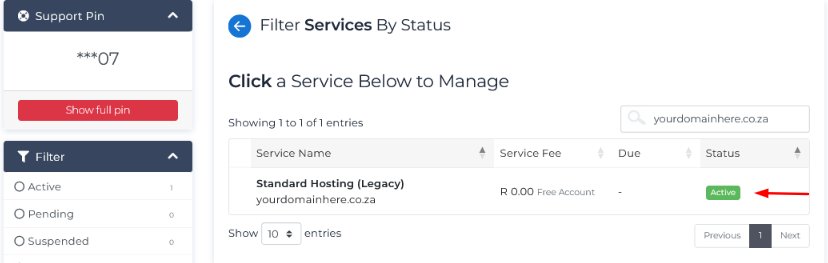
1.3.) Search the desired hosting & and click the 'Active' status
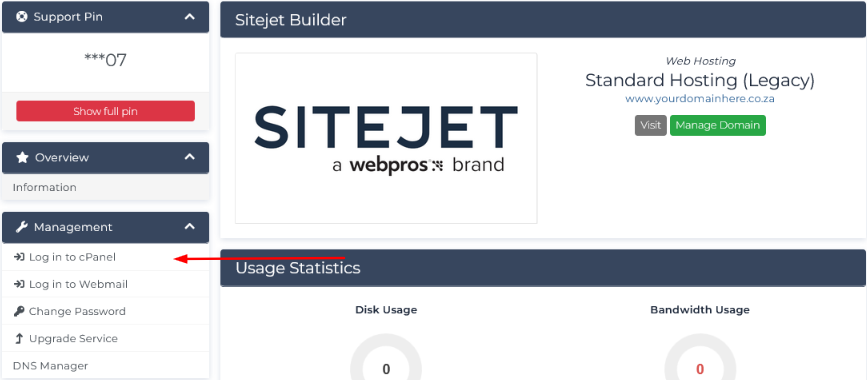
1.4.) Under 'Manage' click on 'Log in to cPanel'
Can you taste it? Because its beginning to taste like success!
2.) Now that we're in the cPanel. Please click on 'Wordpress Management'

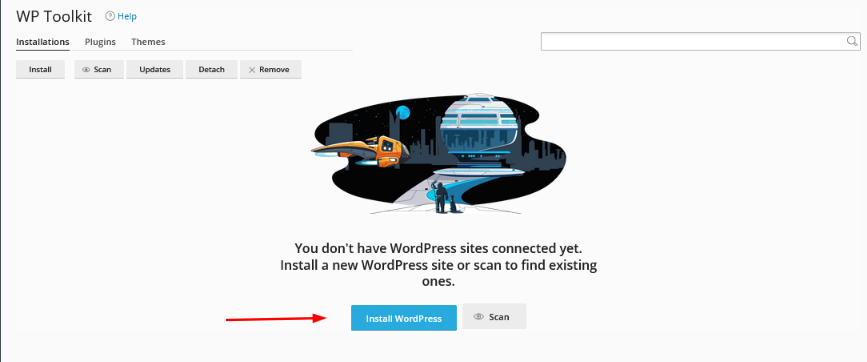
2.1.) Click on 'Install WordPress'
2.2.) Enter the desired Title, Username, Password, Email Address. (These are the only fields that must be modified, the rest can remain default)
*Please do not specify an installation directory, unless it's intentional.

2.3.) Click Install & allow for the installation to complete.
Please note that Register Domain SA does not get involved with the design and development of websites. We simply provide a space to host, the tools to build and the documentation to achieve the idea :)